Understand the difference between localized guides, in-game text and voice acting, and avoid mismatched item names.
A translated guide is a separate product
Changing this website's language changes the guide you are reading. It does not install a language pack, change spoken dialogue or alter the game's menus. Keep those two choices separate when planning a purchase or helping another player. A useful guide can exist in a language that the game itself does not offer.
The current game listing separates text from full audio. English and Russian have audio listed; the text selection is broader. Among the languages offered by this guide site, Italian and Indonesian are not listed as game-text options in the official store information checked for this article. That does not prevent using those guides, but it means players should expect to compare translated explanations with different in-game labels.
Identify which language layer you want to change
There can be several language choices in the same session: Windows, keyboard input, the storefront client, the game and this guide. Start by naming the layer that is wrong. A German guide beside an English game is not necessarily a failed setting; it may be the combination the reader deliberately chose.
If the website opens in a language you do not want, use its language selector and keep the resulting article link. Do not change your whole operating-system language to fix one web page. If the game itself uses an unwanted language, inspect the game's available settings and the storefront's language guidance instead.
If typing produces unexpected characters, investigate the keyboard layout rather than the guide translation. Microsoft's language documentation distinguishes display language from input layout. Keeping those concepts separate is particularly useful when reporting a key-binding problem: the language of a menu does not fully describe the physical keyboard or the input layout that Windows is using. Record all three only when they matter to the symptom.
Read the official language table column by column
A language table often separates interface text, subtitles and full audio. Read the row for your intended language across the relevant columns rather than treating one check mark as a promise about everything. If listening comprehension is essential to your purchase, the audio column deserves its own check.
Similarly, a store page displayed in your browser language does not establish that the game contains that localization. Storefront navigation and product content are separate layers. Look for the game's explicit supported-language table and confirm the version or storefront you intend to use.
When a third-party article summarizes the table, compare it with the official listing before relying on an absence or a newly added language. The article may be older than the current game. A useful guide records when the information was checked and avoids turning an unlisted feature into a permanent claim. If a language is not currently listed, describe that current limitation rather than predicting that it will never be added.
Keep a small bilingual glossary for the route
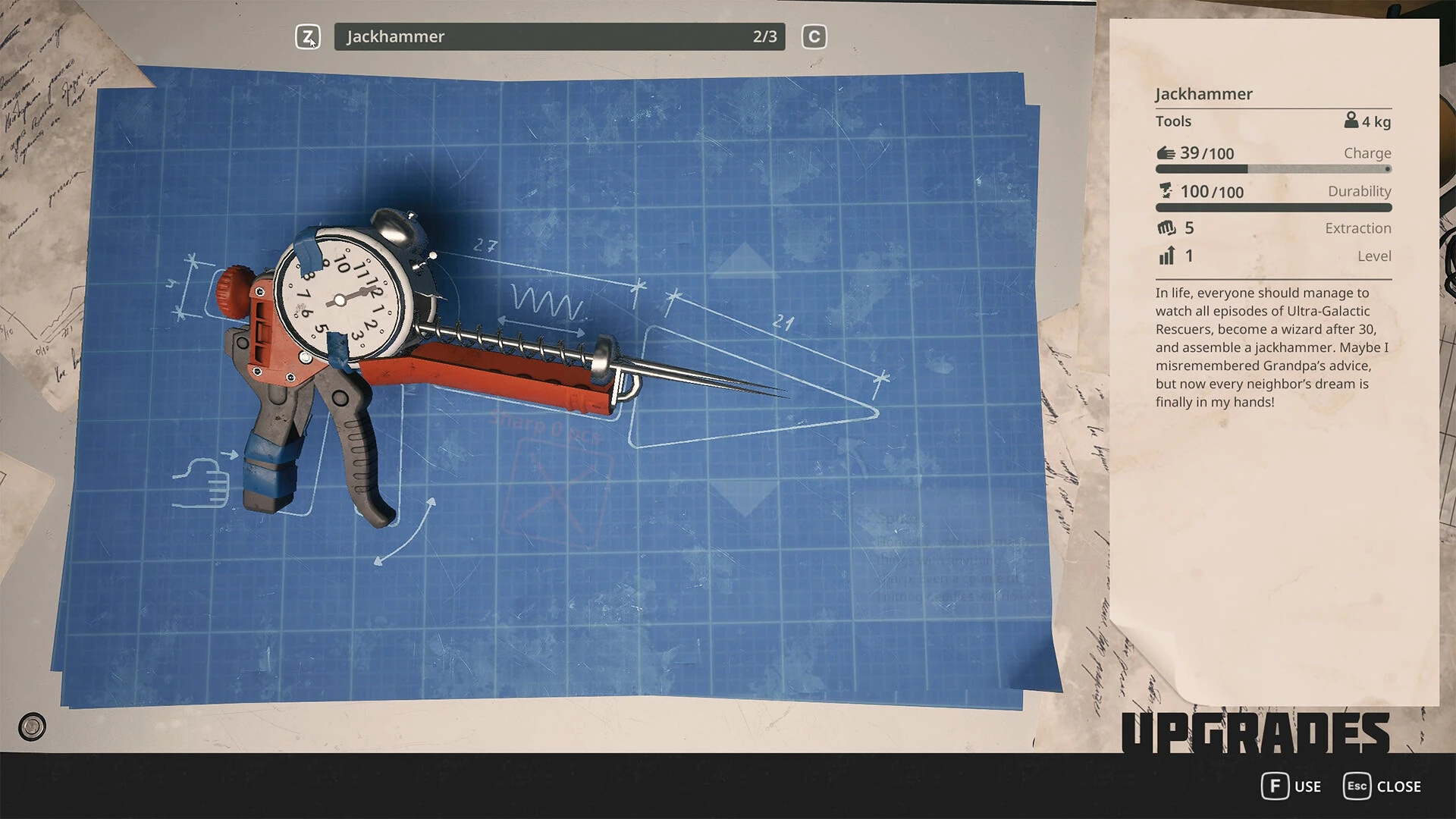
A practical glossary needs only the terms that block your next action. Create three columns in your own notes: the label shown in the game, the guide's term and the action or purpose. For a tool, the purpose might be to remove a particular fastening; for a resource, it might be the recipe you are trying to complete.
Do not fill the glossary with guessed translations of every object. Start with the handful of recurring names you actually encounter. If you later discover that two names refer to the same thing, record that relationship rather than creating duplicate entries. If they are different objects, add the distinction that helps you choose correctly.
Use screenshots to anchor uncertain names when possible. An icon alone may resemble several items, so retain the nearby text or interaction prompt in your private reference. This method helps you navigate translated guides without claiming that the guide's terminology is the game's official localization. It also makes a question to another player much easier to answer.
Search for help without losing the original term
When a translated search produces little useful information, try the exact in-game term alongside the full game title. Add the current objective or action if the term is broad. You are looking for a matching problem, not merely a page containing a familiar word.
If you use an English source while playing in another language, keep the original name in your notes and translate the explanation around it. This is often more reliable than translating a proper name several times until it no longer matches anything on screen. Do not assume a machine-translated item name can be entered into every site's search and produce the same result.
Check the date and build context of the result before acting. A translation mismatch and a version mismatch can appear together. If a video shows the correct object but an interaction that no longer works, inspect the patch history instead of spending time trying alternative translations of the same instruction. The important goal is to identify the current action and its prerequisites.
Handle numbers, units and symbols carefully
A translated paragraph can be readable while still mishandling a number, unit or symbol. When a route depends on a distance, quantity or code, compare the value with the game's visible information or the cited source. Do not reinterpret a separator or a minus sign based only on the grammar around it.
For your own notes, preserve the exact displayed code when a code is involved. Keep it separate from explanatory prose so that punctuation from a sentence is not accidentally treated as part of the entry. This article does not supply unverified codes; it explains how to avoid corrupting a verified value while moving between languages.
If two sources disagree on a quantity, investigate their build dates and context. One may describe a difficulty setting, a demo or a different step in a recipe. Avoid averaging the numbers or choosing the more convenient one. A clear statement that the value is unverified is more helpful than a confident translation of a potentially outdated requirement.
Separate language switching from input-layout changes
Windows can have multiple keyboard layouts, and Microsoft documents switching between them through the input indicator or the Windows-key and Space shortcut. Changing a layout does not itself change the Windows display language. Use this distinction when a key prints a different character from the one you expected.
Before testing a game binding, confirm the active layout and note the physical key involved. If you recently changed a system language, inspect the layout rather than assuming it stayed the same. Do not remove a layout another person uses simply to simplify your own game test on a shared computer.
For a report, describe the command, the displayed binding, the physical key and the observed response. This is enough for another player to understand the mismatch without needing your entire language configuration. Keep account-entry or password screenshots out of the report; they are unrelated to showing how a game command responds. The purpose is to clarify input, not expose private information.
Use translated assistance without claiming official support
A browser translation or an independently translated guide can help explain a route, but it is not the same as a developer-tested game localization. Treat automated wording as assistance and check important terms against the visible game. If a sentence contradicts an interaction prompt, stop and compare context before following it.
When recommending the game to someone who needs a particular language, send the official language table as well as the guide. Explain which part of the experience the guide can help with and which part remains in another language. Do not imply that written walkthroughs replace every spoken joke, ambient instruction or interface element.
If you contribute a correction to this guide, include the original wording, your suggested wording and the gameplay reason for the change. A correction that clarifies which object to use is more actionable than a broad complaint that the translation sounds strange. Distinguish an official item-name correction from an editorial preference so the terminology stays consistent across related articles.
Keep shared instructions understandable across locales
When helping a friend, describe the action first, then the term you see. For example, identify the interaction category and object location before relying on a single translated noun. Avoid instructions based only on a button's color or its position in a screenshot, since layout and device prompts may differ.
Share the exact article and section that answers the question rather than a homepage link with no context. Mention your game build and language when the screenshot or terminology depends on them. This gives the other person enough information to compare the explanation with their own interface.
If you cannot resolve a mismatch, state what you have verified: the object looks the same, the action differs, or the label is missing. That precise description is useful to both translators and gameplay researchers. It prevents a localized guide from accumulating unsupported synonyms and keeps the next correction focused on the actual obstacle the player encountered. A good translation ultimately helps someone make the right action, not merely read a familiar-looking paragraph.
Match the action before matching the wording
When a guide mentions a tool, start with its purpose and the interaction shown in the game. A translated noun may not be the exact label chosen by the game's localization team. Read the surrounding instruction: whether you are unscrewing, repairing, dismantling or simply picking something up often matters more than a word-for-word match.
If you cannot find the named item, compare the guide's build date and source before assuming that your translation is wrong. Item behavior can change between a demo and Early Access or between hotfixes. A page using an old name may also be describing an old interaction. That is why the guide should keep version information close to the advice instead of hiding it in a footer.
For personal notes, record both the label you see and the action it performs. You can then return to the correct entry even after switching language. If you share a screenshot in a discussion, mention its language so that another player does not mistake a localization difference for a missing feature.
Use subtitles and audio as independent choices
Check the language controls actually available in your installation rather than assuming the guide's selector mirrors them. If you prefer to listen in one language and read in another, inspect the game and storefront settings for the available combination. This article does not claim that every combination or an instant in-session switch is supported.
When testing a language change, choose a safe moment and note what changed: menu text, item labels, subtitles or spoken dialogue. A partially changed interface is a useful observation. Explain which elements remain in the previous language instead of reporting simply that localization is broken.
Do not install an unofficial translation patch without understanding what it replaces and how to restore the installation. A translation mod may alter files that a later update expects to manage. This site provides reading assistance; its translated articles do not require modifications to your game.
Report translation problems with context
A useful localization report includes the exact displayed phrase, selected language, location in the interface and intended action. If a button label appears clipped, include the screen layout or image that shows the clipping. If the problem is meaning rather than display, explain the ambiguity with a concrete example.
Separate preference from a functional error. An awkward joke, an inconsistent item name and a command that tells you to do the wrong action need different explanations. Avoid claiming a whole language is unusable because one line is unclear. A specific report is easier to verify and more likely to lead to an effective correction.
When sharing the guide with another player, send the language-specific article link rather than relying on their browser to choose the same language as yours. Keep the game term visible if it helps them locate the object, then explain the action in the language they read comfortably. That approach makes localization a practical aid instead of a second puzzle.
A useful final check is to ask what kind of correction is needed. If the wrong object name appears throughout an article, report a terminology correction. If the name is right but the instruction sends you to an old location, report a gameplay or version correction. If the text is correct but clipped in a button, report a layout correction. Identifying the category saves time for the person fixing it and avoids changing accurate translation text to compensate for an unrelated interface problem.
Sources & verification
This article combines cited facts with practical editorial advice. Follow the version and uncertainty notes before applying an older route.